

The module of subsystem “Data acquisition” <LogicLev>
| Module: | LogicLev |
| Name: | Logic level |
| Type: | DAQ |
| Source: | daq_LogicLev.so |
| Version: | 1.1.2 |
| Author: | Roman Savochenko |
| Translated: | Maxim Lysenko |
| Description: | Provides the logical level of parameters. |
| License: | GPL |
Introduction
The module is a pure logic-level implementation mechanism, based on the templates of parameters of the subsystem "Data acquisition - DAQ". The implementation of the module is based on the "Logical level of the parameters of the system OpenSCADA?". Practically, this module is an implementation of the subsystem "Options" of the project without templates and putting it into the module.
The module provides a mechanism for the formation of the parameters of subsystem "DAQ", based on other sources of the subsystem at the level of the user. Actually, the module uses templates of subsystem "DAQ" and the specific format for the description of references to the attributes of the parameters of subsystem "DAQ".
Also, the module implements the functions of the horizontal reservation, namely, working in conjunction with the remote station of the same level. In addition to the synchronization of the archives of values and archives of attributes of parameters the module implements synchronization of computational templates, in order to shockless catch of the algorithms.
1. Data controller
For addition of the data source of parameters of the logical level the controller in the system OpenSCADA is created and configured. Example of the configuration tab of the controller of the type is depicted in Figure 1.
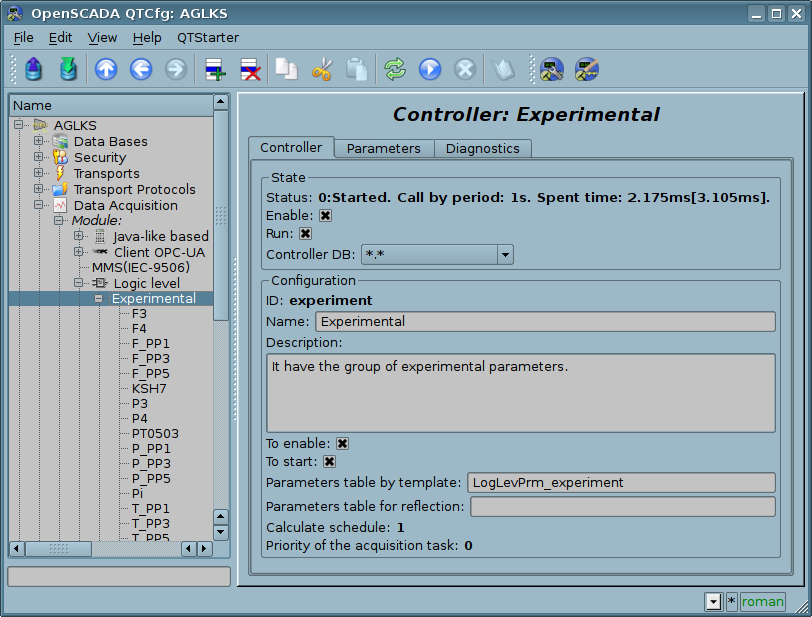
Fig.1. Ñonfiguration tab of the controller.
From this tab you can set:
- The state of the controller, as follows: Status, «Enable», «Run» and the name of the database containing the configuration.
- Id, name and description of the controller.
- The state, in which the controller must be translated at boot: «To enable» and «To start».
- Horizontal mode of redundancy and performance preference of the controller.
- Name of table to store the settings.
- The period and the priority of the task of the interrogation of data sources.
2. Parameters
Module LogicLev provides only one type of parameters - "Standard". Additional configuration fields of the parameters of the module (Fig. 2) are:
- mode of the parameter;
- address; in the event of the template - this is the address of the template, and in the case of direct reflection - this is the address of the parameter.
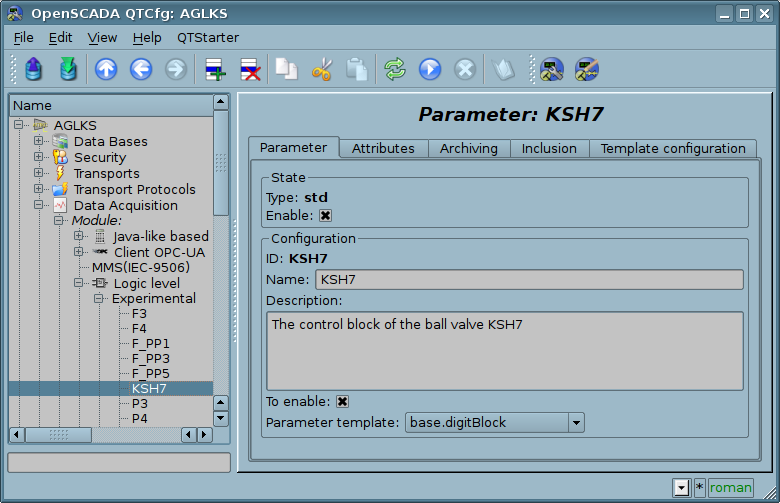
Fig.2. Configuration tab of the parameter.
When building a template for the controller the peculiarity of the link format of the template must take into account. Reference should be written in the form: <Parameter>|<identifier>, where:
<Identifier> - id of the attribute of parameter.
This record allows to group multiple attributes of a source parameter and assign them only by the choice of the parameter. Ie in the configuration dialog of the template (Fig. 3)it will be shown only parameter. This does not preclude the possibility to assign the attributes of the parameter each separately, in addition, if you miss in the configuration of the template the description of the links in the specified format, it will be assigned an attribute of the parameter (Fig.4).
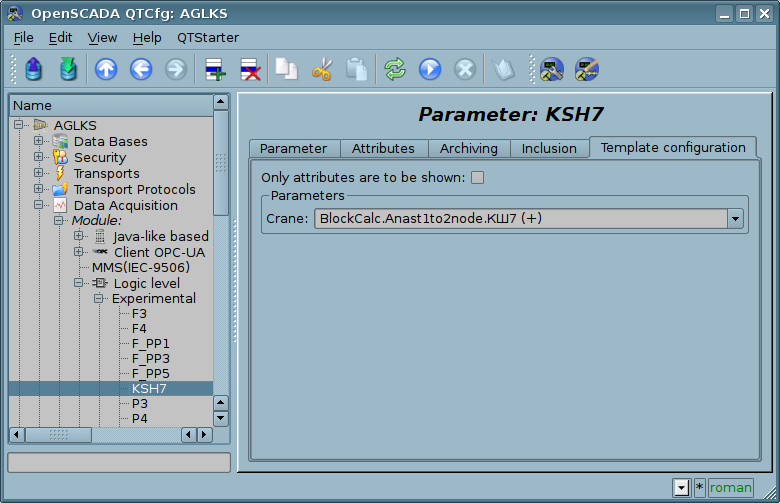
Fig.3. Configuration tab of the template of parameter.
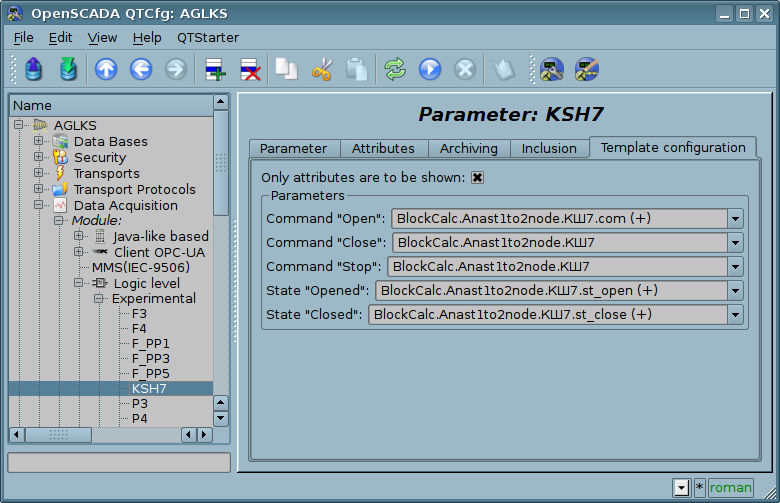
Fig.4. Configuration tab of the template of parameter. Show only attributes.
In accordance with the template underlying the parameter, we get the set of attributes of the parameter Fig.5.
Fig.5. Tab of the attributes of the parameter.
Links