The module <WebCfg> of subsystems "User Interfaces"
 Ðóññêàÿ âåðñèÿ
 Óêðà¿íñüêà âåðñ³ÿ?
| Module: | WebCfg |
| Name: | The system configurator (Web) |
| Type: | User Interfaces |
| Source: | ui_WebCfg.so |
| Version: | 1.5.3 |
| Author: | Roman Savochenko |
| Description: | Provides the WEB-based configurator of the OpenSCADA system. |
| License: | GPL |
Description
The WebCfg module provides the configurator of the OpenSCADA system. Configurator is based on Web-technologies. For configurator working it is enough the usual WEB-Browser. The operability of the module <WebCfg> was tested in conjunction with modules <Transport.Sockets> and <Protocol.HTTP> on the following Web-browsers:
- Mozilla;
- Firefox;
- Konqueror;
- Opera;
- IE.
The module is based on the language of management interface of OpenSCADA system, and thus provides a uniform configuration interface. Updating of the module may be required only in the case of updating the specification of the language of management.
In addition to the belonging of the module to the OpenSCADA system, it also belongs, is a module, to the module transport protocol <HTTP>. Actually, the call ~ WebCfg makes from of HTTP. The call is made through enhanced communication mechanism through exported in module ~ WebCfg features: HttpGet and HttpSet.
The interface of the module is implemented by means of the language XHTML 1.0 Transitional with inclusions of the JavaScript.
Using the module starts with the opening session, the user authentication of the user module by the protocol HTTP (Protocol.HTTP) (Fig. 1). For the operation of the authentication and session saving mechanism the browser must allow Cookies.
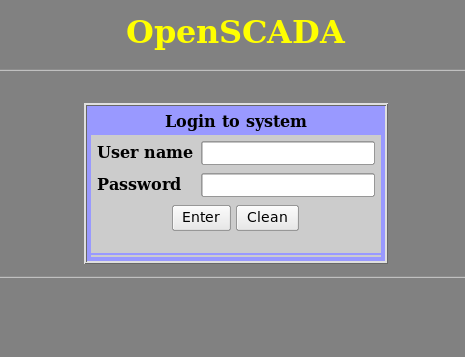
Fig.1. User authentication.
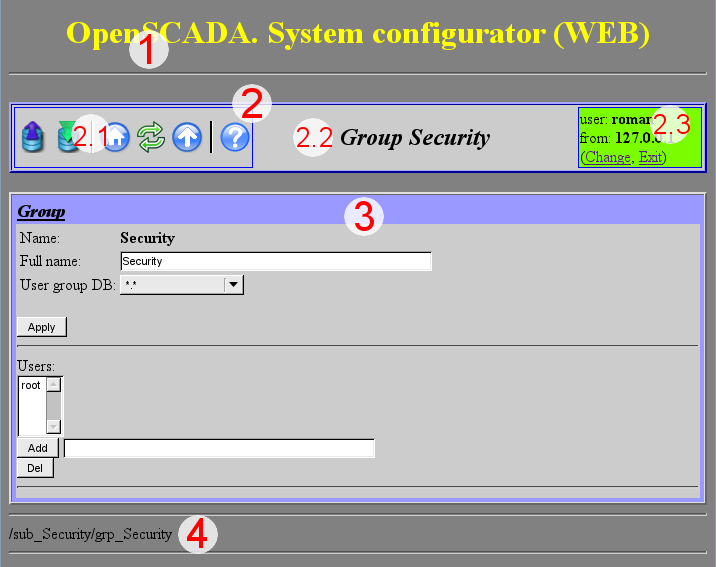
Fig.2. Structure of the operating window of the user.
After authenticating the user enters the operating window (Fig.2), which consists of the following parts:
1.Header - contains the name of the module.
2.Control Panel. Consists of:
2.1.Navigator - serves the navigation functions throug the tree of pages.
2.2.The name of the node.
2.3.User of the System - Displays the current user of the session, his address and lets you to change the user.
3.Workplace field - contains the configuration settings of language of management interface, starting with the root tabs to the end elements.
4.Footer - contains the address of current page.
Àäðåñàöèÿ ñòðàíèö íà÷èíàåòñÿ ñ ýëåìåíòà âòîðîãî óðîâíÿ URL. Ýòî ñâÿçàííî ñ òåì, ÷òî ýëåìåíò ïåðâîãî óðîâíÿ èñïîëüçóåòñÿ äëÿ èäåíòèôèêàöèè ìîäóëÿ ïîëüçîâàòåëüñêîãî Web-èíòåðôåéñà. Íàïðèìåð URL: <http://localhost.localdomain:10002/WebCfg//Functions> ìîæíî ðàñøèôðîâàòü êàê âûçîâ ñòðàíèöû ïåðâîãî óðîâíÿ “Functions” Web ìîäóëÿ <WebCfg> íà õîñòå localhost.localdomain ÷åðåç ïîðò 10002.
Ýëåìåíòû óïðàâëåíèÿ äåëÿòñÿ íà: áàçîâûå, êîìàíäû, ñïèñêè, òàáëèöû è èçîáðàæåíèÿ. Âñå ÷åòûðå òèïà îòîáðàæàþòñÿ îòäåëüíûìè áëîêàìè, â íå çàâèñèìîñòè îò èõ ðàñïîëîæåíèÿ â îïèñàíèè.
1. Áàçîâûå ýëåìåíòû
 ÷èñëî áàçîâûõ ýëåìåíòîâ âõîäÿò: èíôîðìàöèîííûå ýëåìåíòû, ïîëÿ ââîäà çíà÷åíèé, ýëåìåíòû âûáîðà èç ñïèñêà, ôëàãè. Äëÿ óñòàíîâêè íîâûõ çíà÷åíèé áàçîâûõ ýëåìåíòîâ èñïîëüçóåòñÿ ãðóïïîâîé ìåòîä, äëÿ ýòîãî íà ôîðìå ñóùåñòâóåò êíîïêà “Ïðèíÿòü”.  ñëó÷àå îòñóòñòâèÿ èìåíè ýëåìåíòà, áàçîâûé ýëåìåíò ñòûêóåòñÿ ê ïðåäûäóùåìó áàçîâîìó ýëåìåíòó. Ïðèìåð ãðóïïû áàçîâûõ ýëåìåíòîâ, ñî ñòûêîâêîé, ïðèâåä¸í íà ðèñ.3.
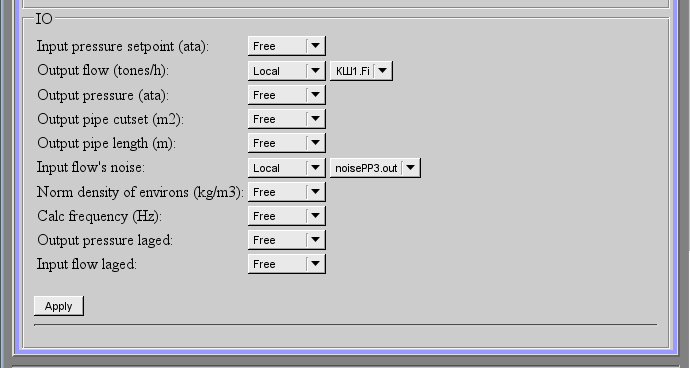
Ðèñ.3. Áàçîâûå ýëåìåíòû è èõ ñòûêîâêà.
2. Êîìàíäû
Êîìàíäû ýòî ýëåìåíòû äëÿ ïåðåäà÷è îïðåäåë¸ííûõ äåéñòâèé óçëó è îðãàíèçàöèè ññûëîê íà ñòðàíèöû. Êîìàíäû ìîãóò ñîäåðæàòü ïàðàìåòðû. Ïàðàìåòðû ôîðìèðóþòñÿ èç áàçîâûõ ýëåìåíòîâ. Ïðèìåð êîìàíäû ñ ïàðàìåòðàìè ïðèâåäåí íà ðèñ.4.

Ðèñ.4. Êîìàíäà.
3. Ñïèñêè
Ñïèñêè ñîäåðæàò ãðóïïó áàçîâûõ ýëåìåíòîâ îäíîãî òèïà. Äëÿ îïåðàöèé íàä ýëåìåíòàìè ñïèñêà äîáàâëÿþòñÿ äîïîëíèòåëüíûå êíîïêè. Êðîìå òîãî, ÷åðåç ýëåìåíòû ñïèñêà âûïîëíÿþòñÿ îïåðàöèè ïåðåõîäà íà äðóãèå ñòðàíèöû. Äëÿ ïåðåõîäà äîáàâëÿåòñÿ êíîïêà “Ïåðåéòè”. Ñïèñêè ìîãóò áûòü èíäåêñèðîâàííûìè. Ïðèìåð ñïèñêà ñ ïåðåõîäîì ïðèâåäåí íà ðèñ.5.
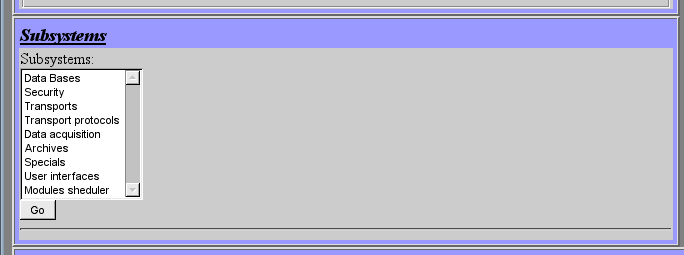
Ðèñ.5. Ñïèñîê.
4. Òàáëèöû
Òàáëèöû ñîäåðæàò çíà÷åíèÿ áàçîâûõ ýëåìåíòîâ. Òèï áàçîâîãî ýëåìåíòà îïðåäåëÿåòñÿ îòäåëüíî äëÿ êàæäîé êîëîíêè. Ïðèìåð òàáëèöû ïðèâåäåí. íà ðèñ.6.
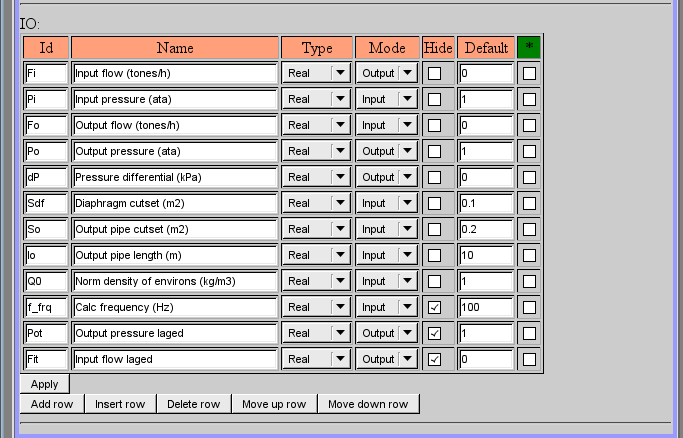
Ðèñ.6. Òàáëèöà.
5. Èçîáðàæåíèÿ
Èçîáðàæåíèÿ ïðèçâàíû ïåðåäàâàòü ãðàôè÷åñêóþ èíôîðìàöèþ â êîíôèãóðàòîðû. Ïðèìåð èçîáðàæåíèÿ ïðèâåäåí íà ðèñ. 7.
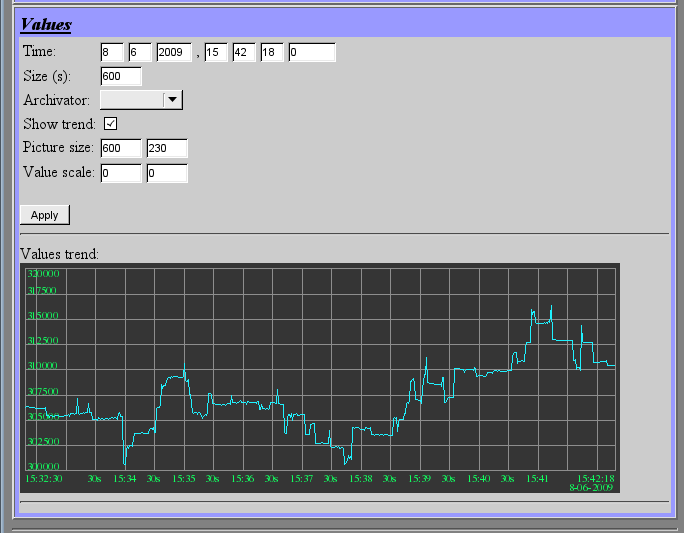
Ðèñ.7. Èçîáðàæåíèå.
Ññûëêè